> For the complete documentation index, see [llms.txt](https://darkroom.knepp.se/llms.txt). Markdown versions of documentation pages are available by appending `.md` to page URLs; this page is available as [Markdown](https://darkroom.knepp.se/color-development/color-film-processing-with-jobo.md).
# JOBO CPA 2 – Color Film Processing Guide
This guide explains how to use the **JOBO CPA 2 processor** with the **JOBO tank system** for developing color films (C-41 or similar).
***
## System Overview
### 1. JOBO CPA 2 Processor
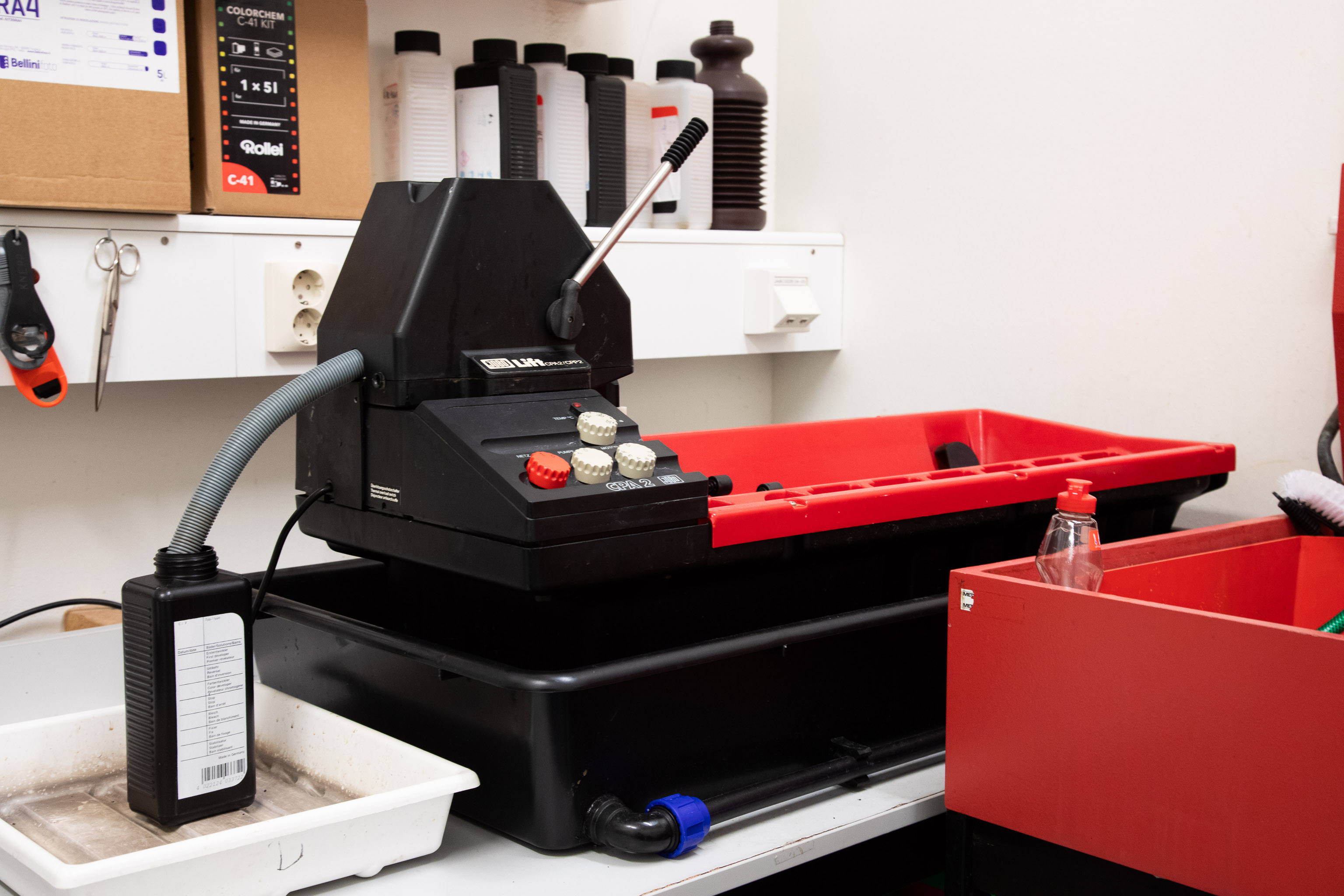
Used to control temperature, agitation, and timing.\
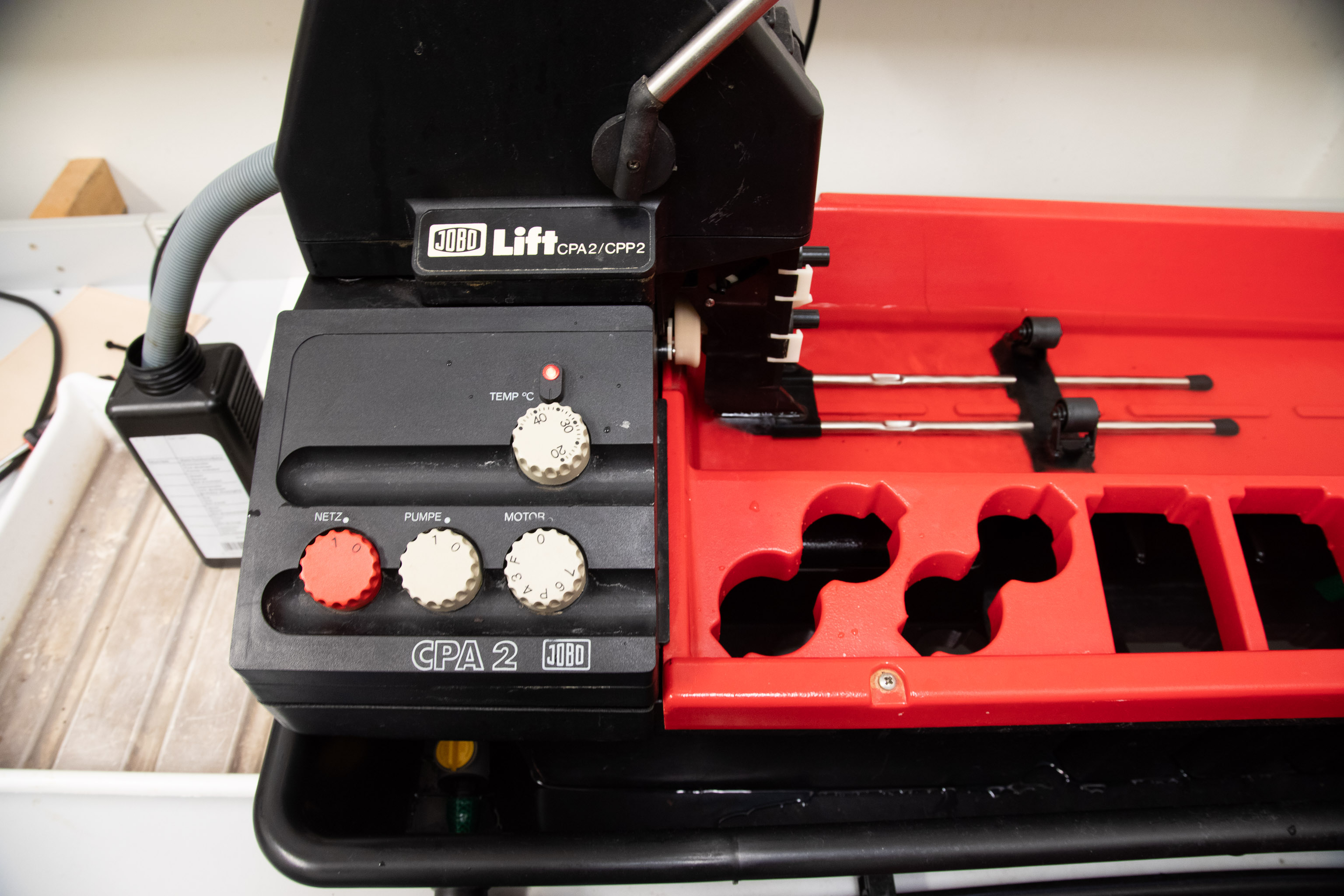
Includes a water bath, lift head, and control panel with temperature and motor speed knobs.
Jobo CPA2 Processor
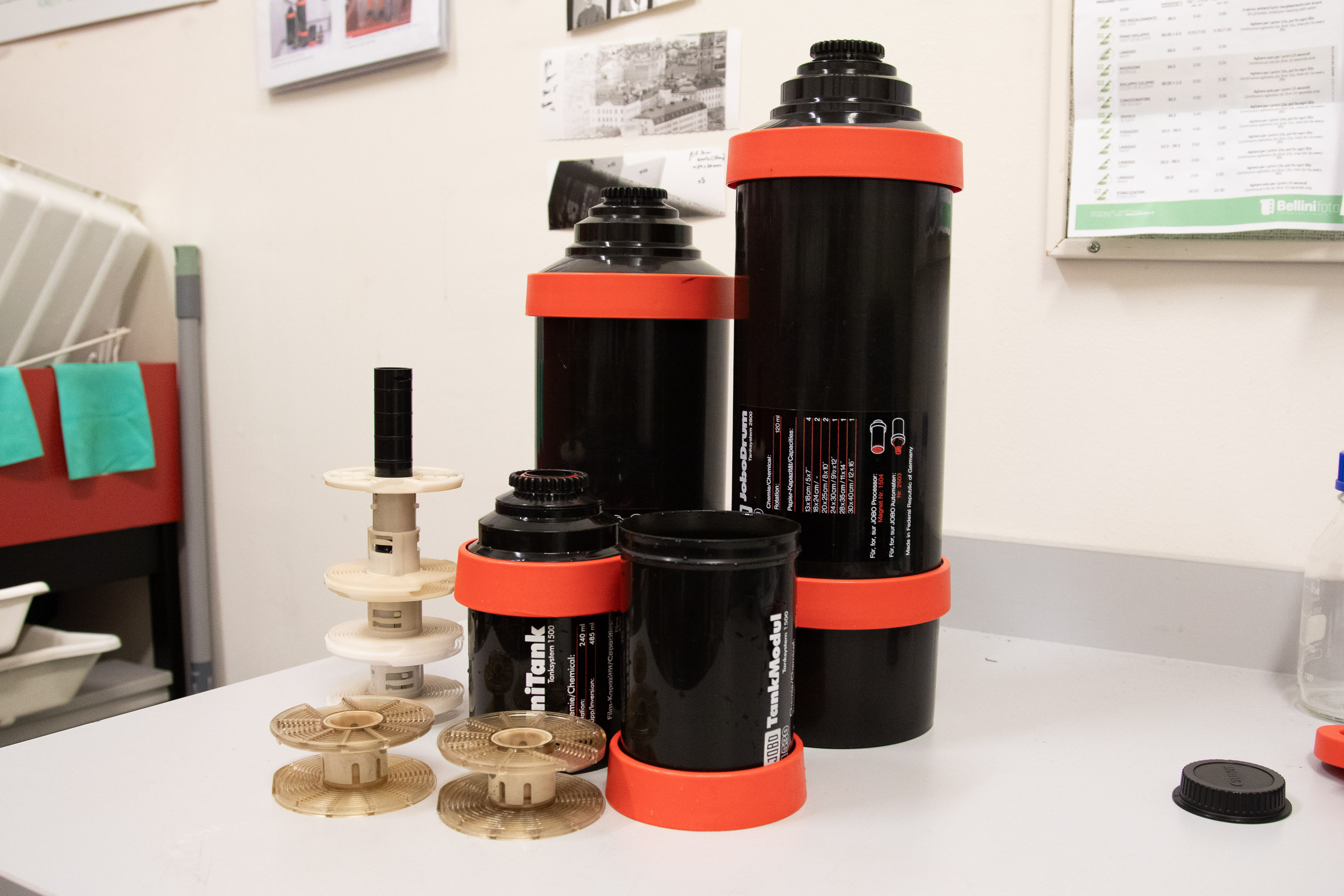
### 2. JOBO Tank System
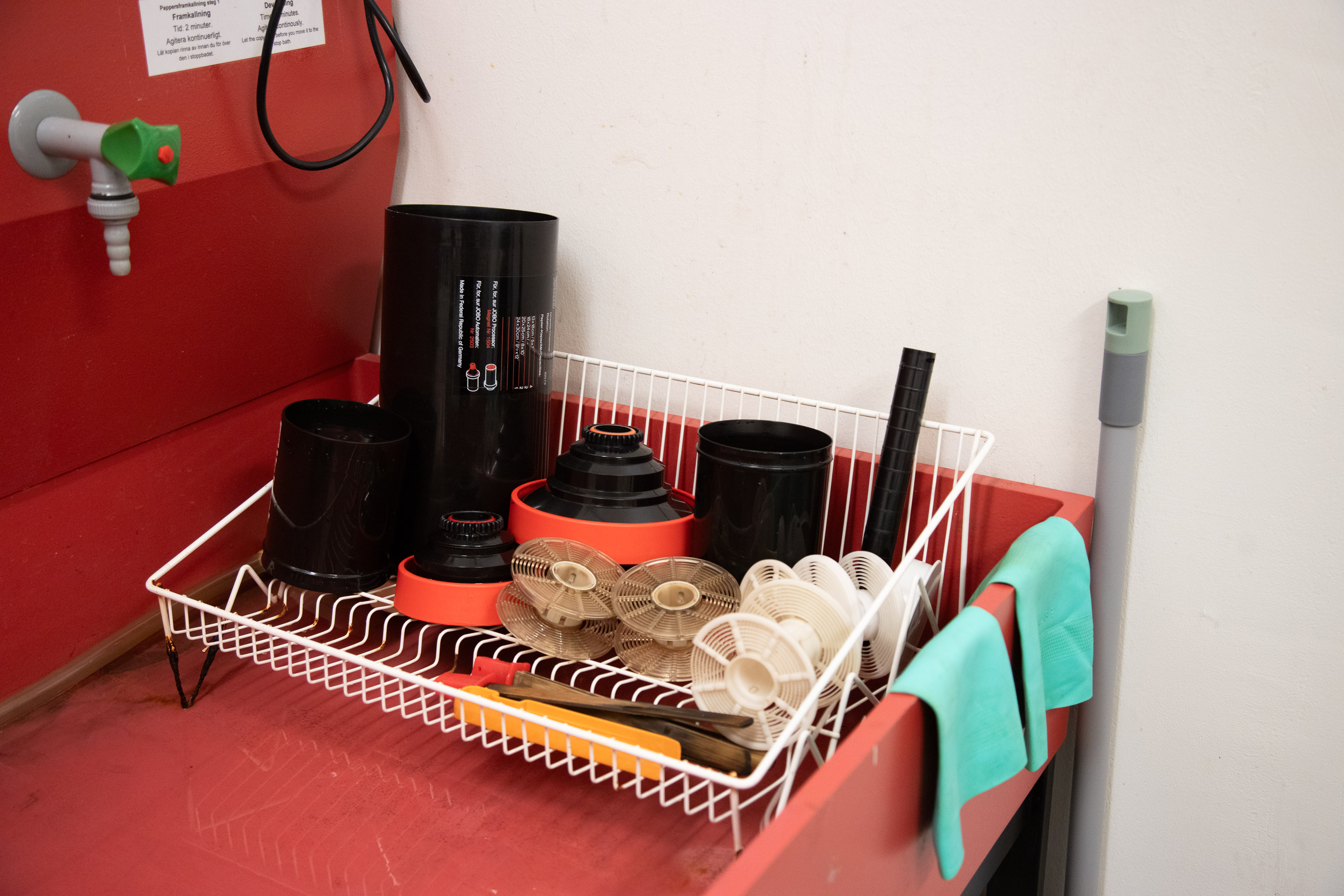
* **1500 series**: for 135 and 120 rolls
* **2800 series**: for large format film and paper prints
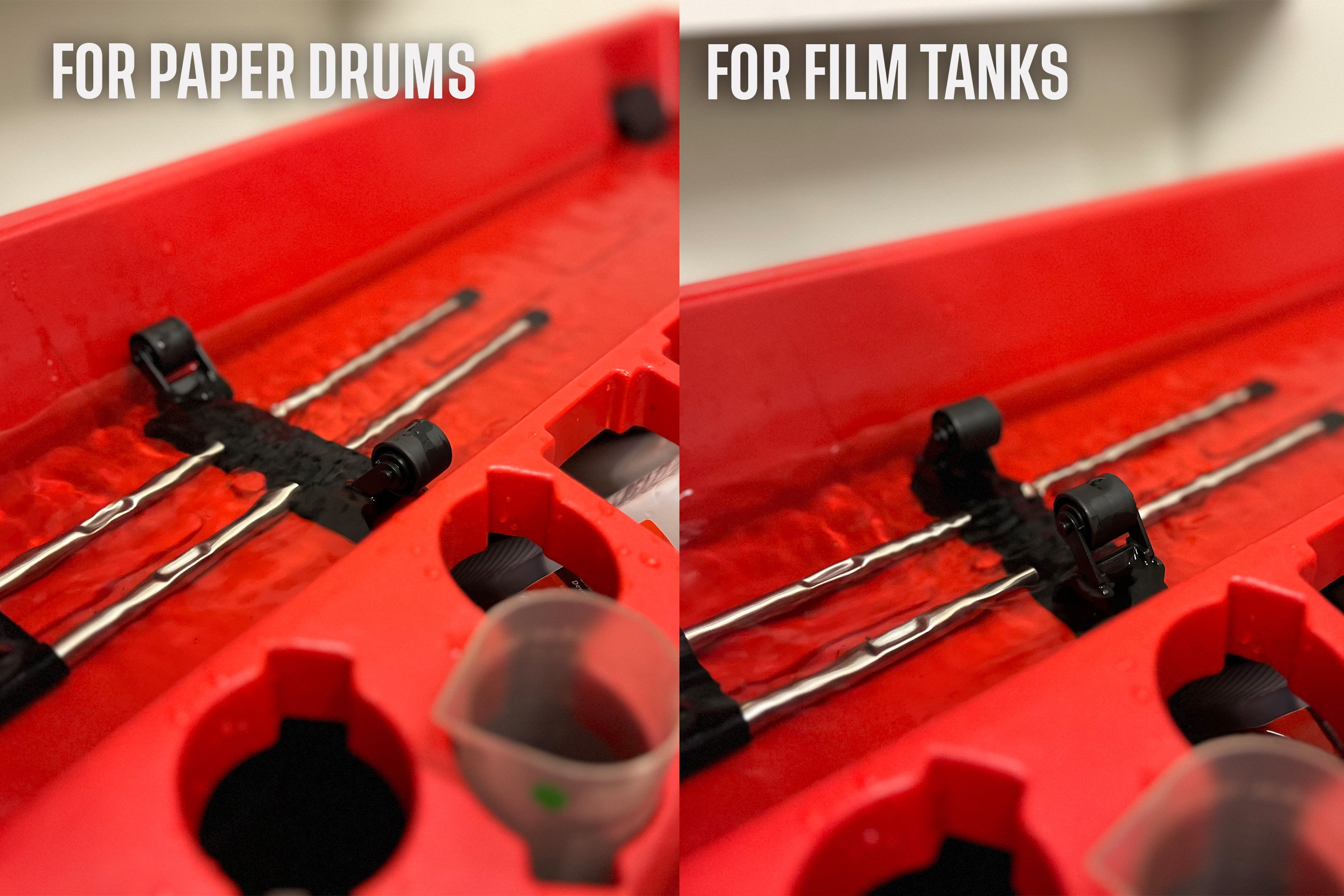
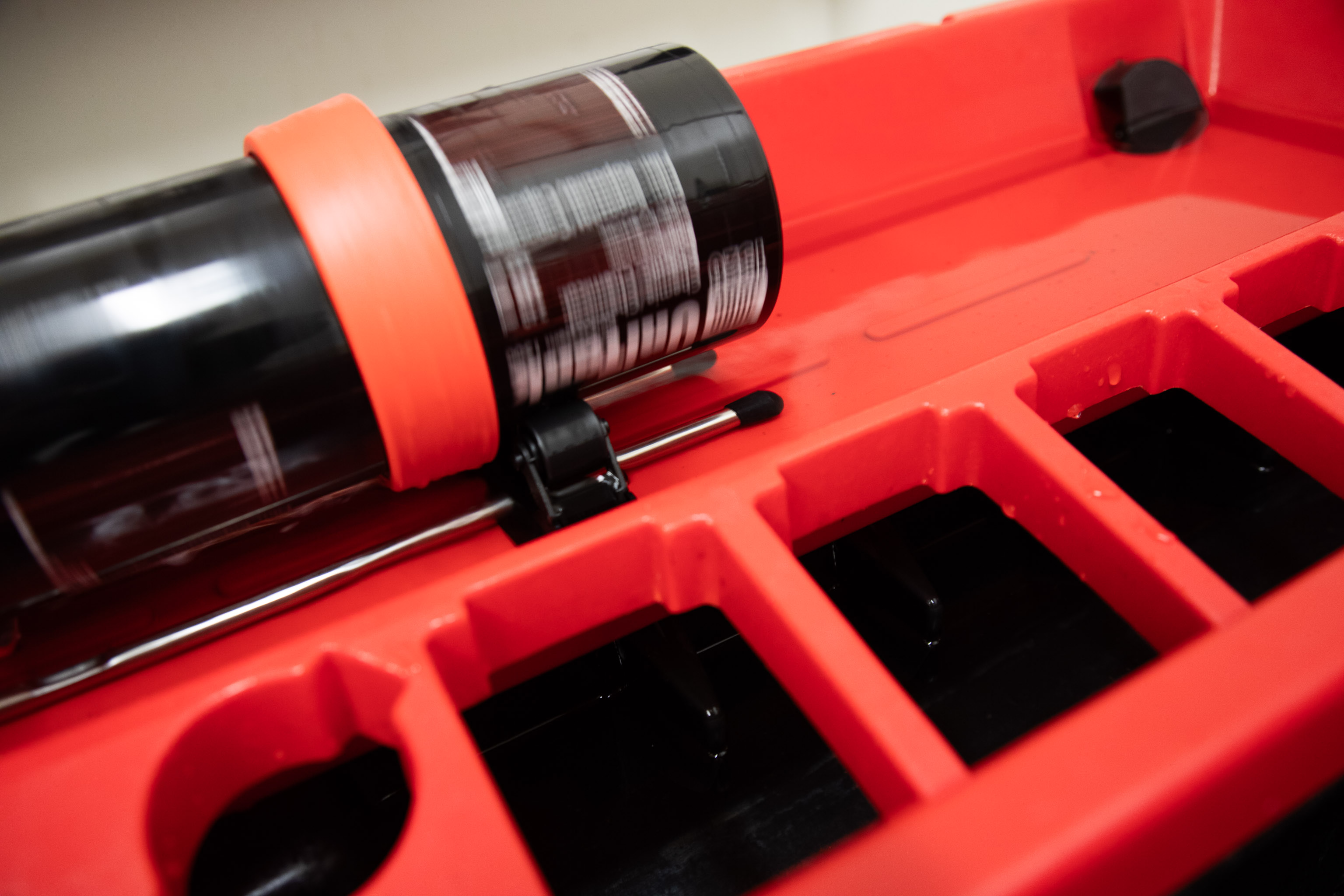
Jobo film developing tanks and paper drums
***
## Step 1 – Preparation
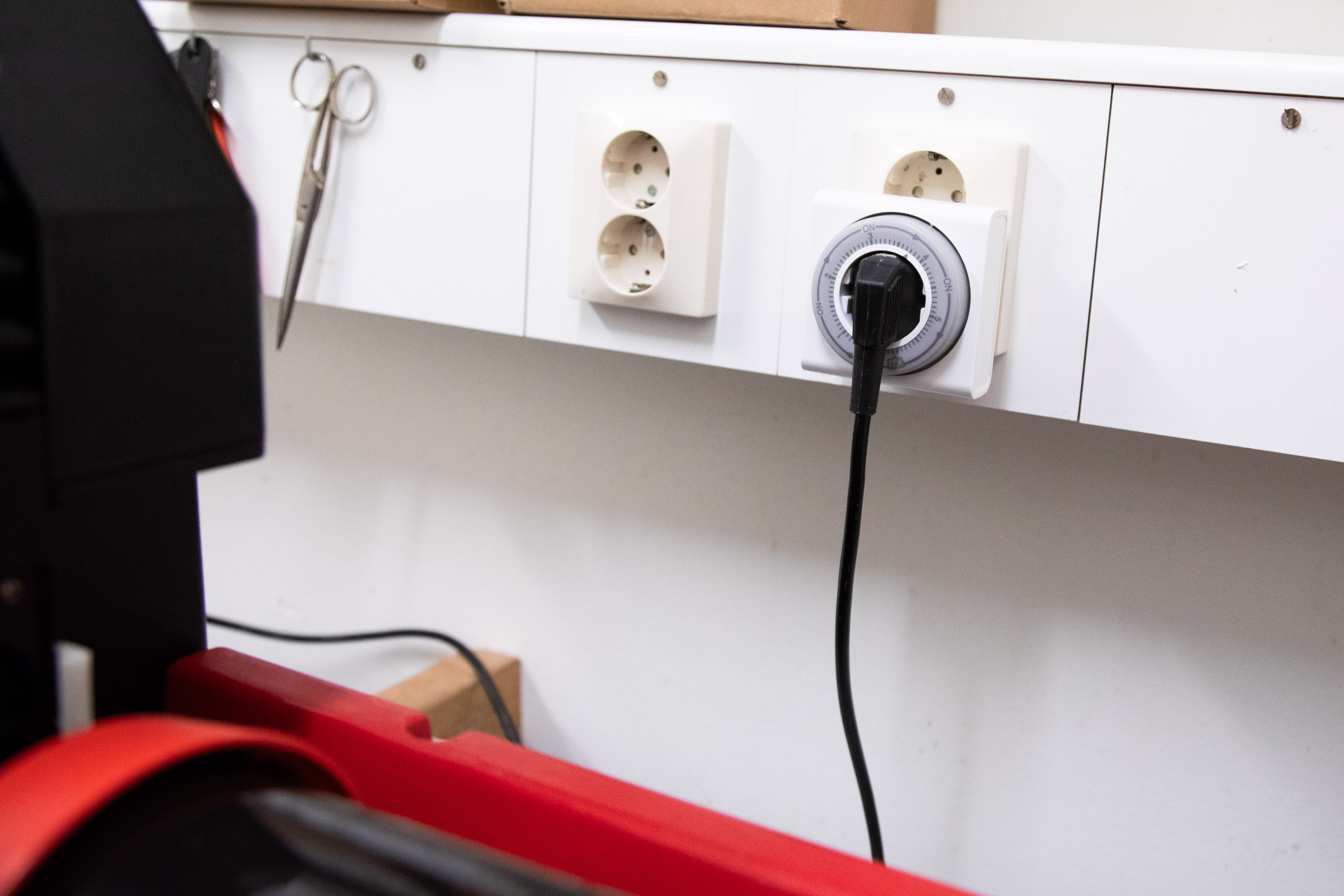
* Before turning on the machine, set timer. Max time is 5 hours.
* Choose your tank:
* **1520 tank** → up to **two 135 or 120 rolls**
* **1520 + 1530 tanks combined** → up to **five 135 or six 120 rolls**
* Prepare chemicals:
```
1520 tank: 240–300 ml
1520 + 1530 tank: 570–600 ml
```
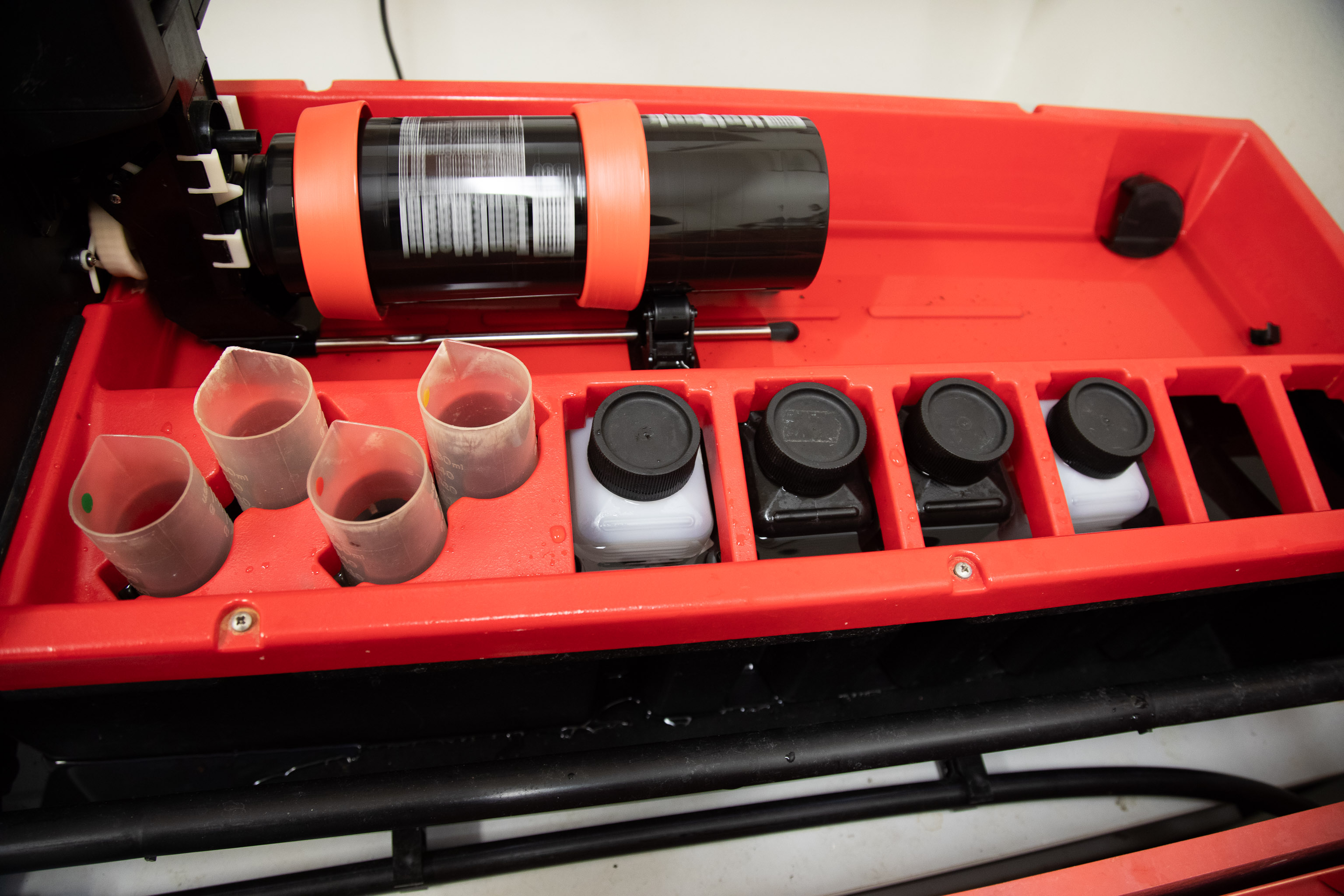
* Pour chemicals into labeled bottles and matching measuring cylinders.
* Check the C41 Dev Log to see how fresh are the chemicals
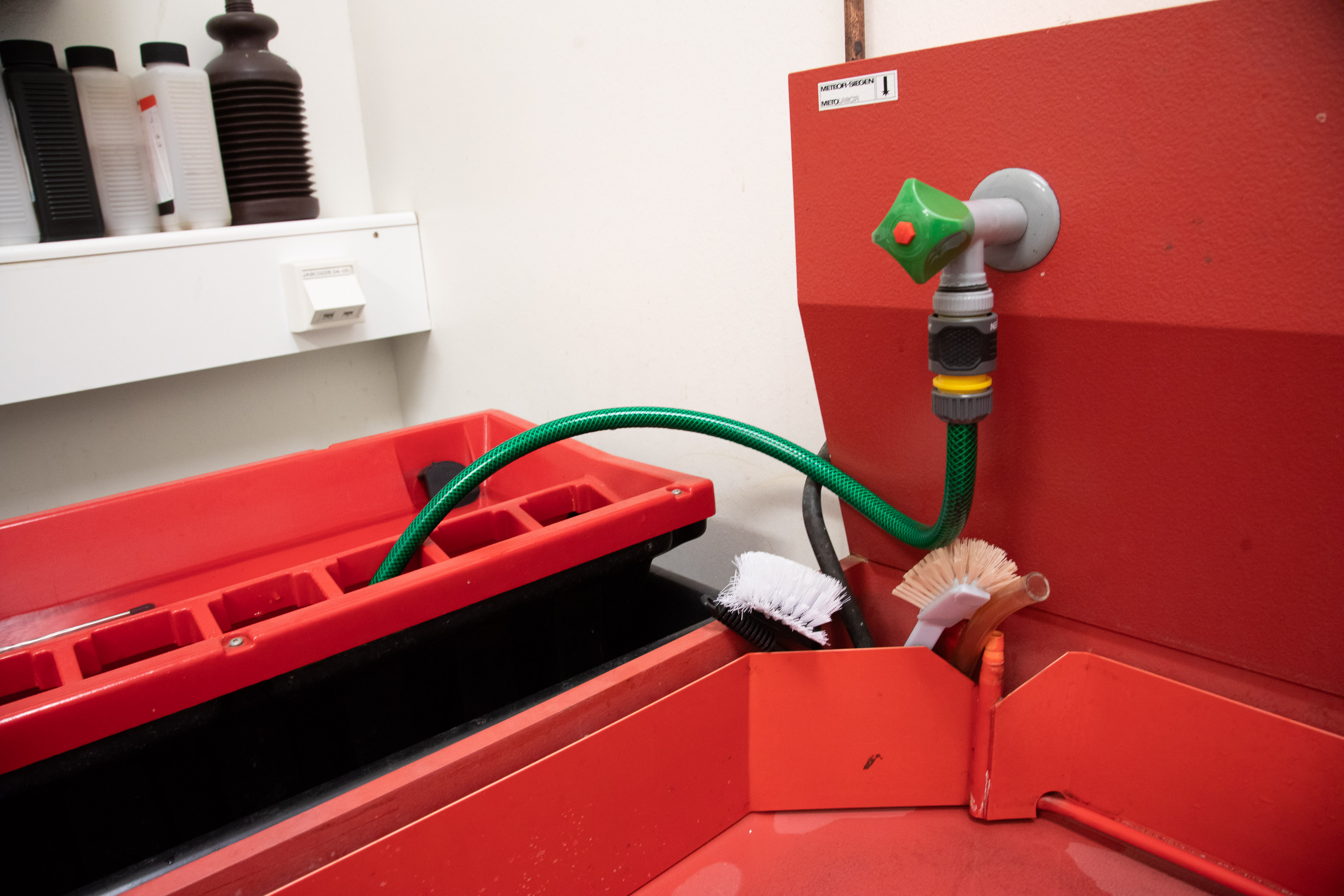
* Fill the Jobo with water until the level reaches **the center of the roller holder**.
{% hint style="info" %}
It’s helpful pour in already hot water, so the heating process gets quicker. To do it, set 40° on the water tap.
{% endhint %}
***
## Step 2 – Pre-warming Setup
1. Place bottles and measuring cylinders in the water bath for pre-warming.\
Lock them in place to prevent floating.
2. Adjust the **roller holder**:
* Inward = for 1500 tanks
* Outward = for 2800 tanks
3. Attach the tank to the processor.
***
## Step 3 – Temperature Setup
1. Turn on:
* `NETZ 1` – Main power
* `PUMPE 1` – Circulation pump
2. Set the **temperature knob** to **40 °C** (≈ 38 °C actual in the bath).
3. When the water bath reaches **38 °C**, wait an additional **10 minutes** to stabilize.
{% hint style="info" %}
It’s always good to have a theromometer around to check the actual temperature.
{% endhint %}
***
## Step 4 – Processing
1. Turn on the **motor** (`MOTOR 1`) and set speed to **F** or **3** — suitable for color processing.
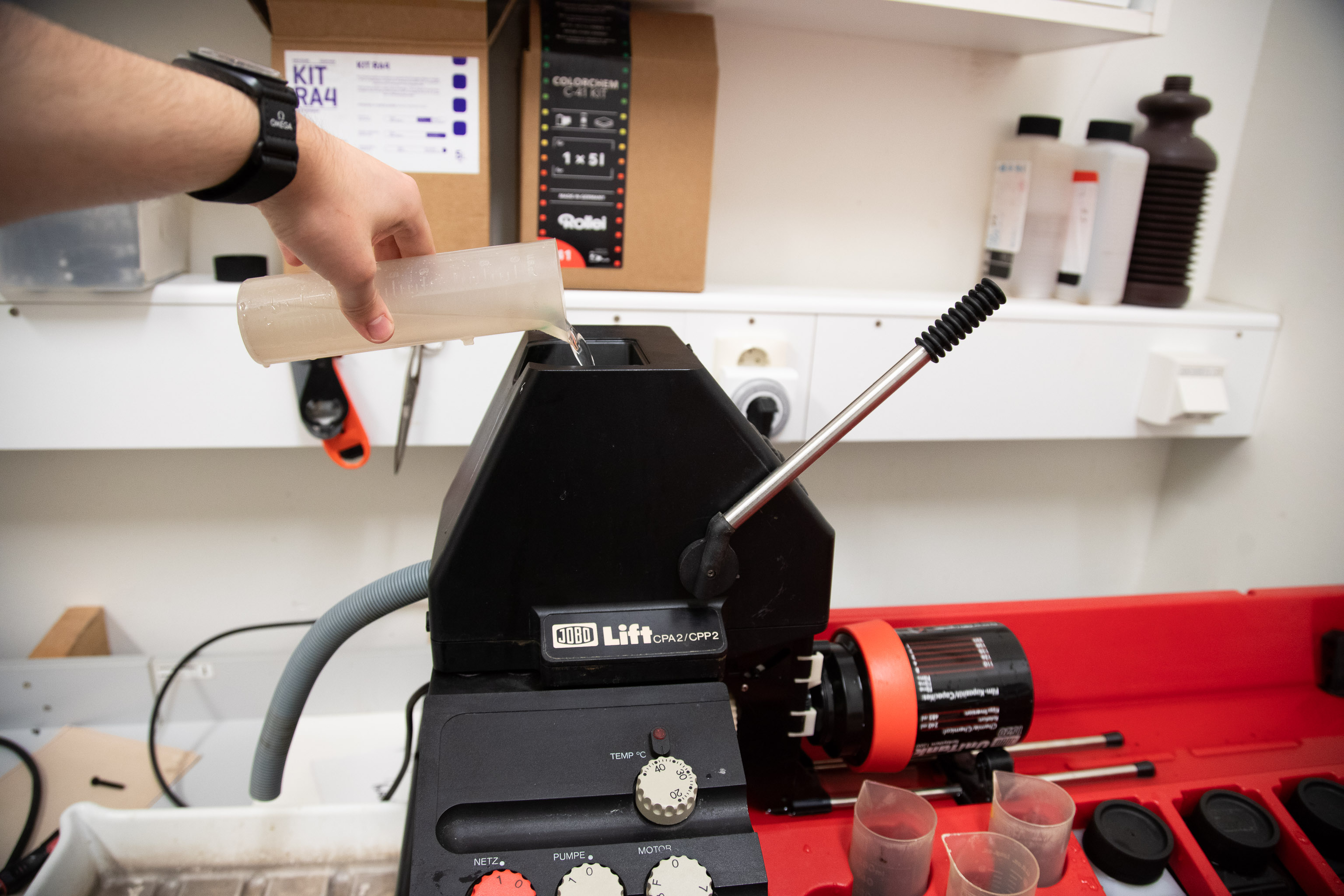
2. Add chemicals through the **lift head opening**, in order:
1. Developer
2. Blix (Bleach + Fix)
3. Stabilizer
3. Keep a container ready to **collect used chemicals** from the output hose.
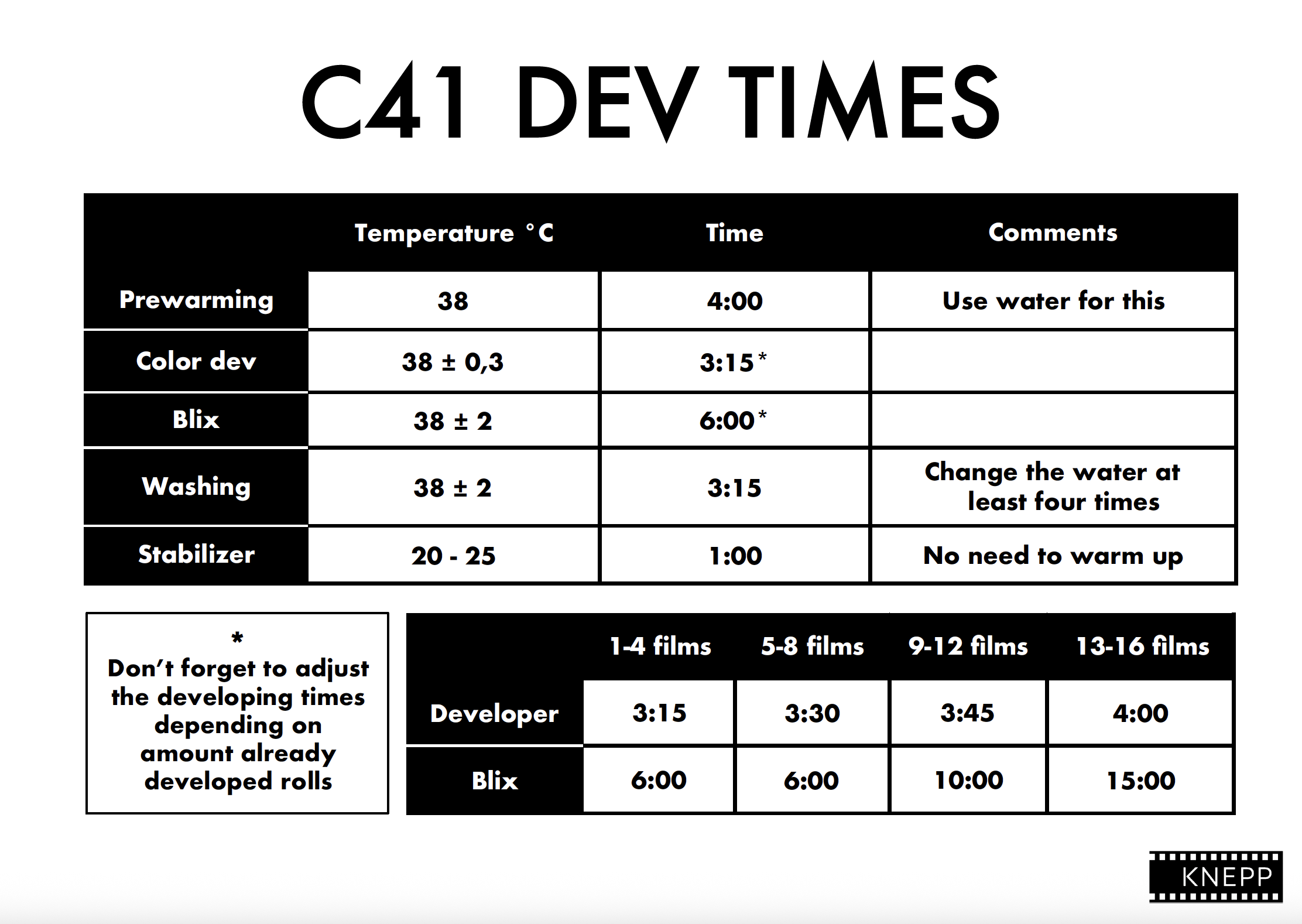
4. Follow the recommended C-41 times:
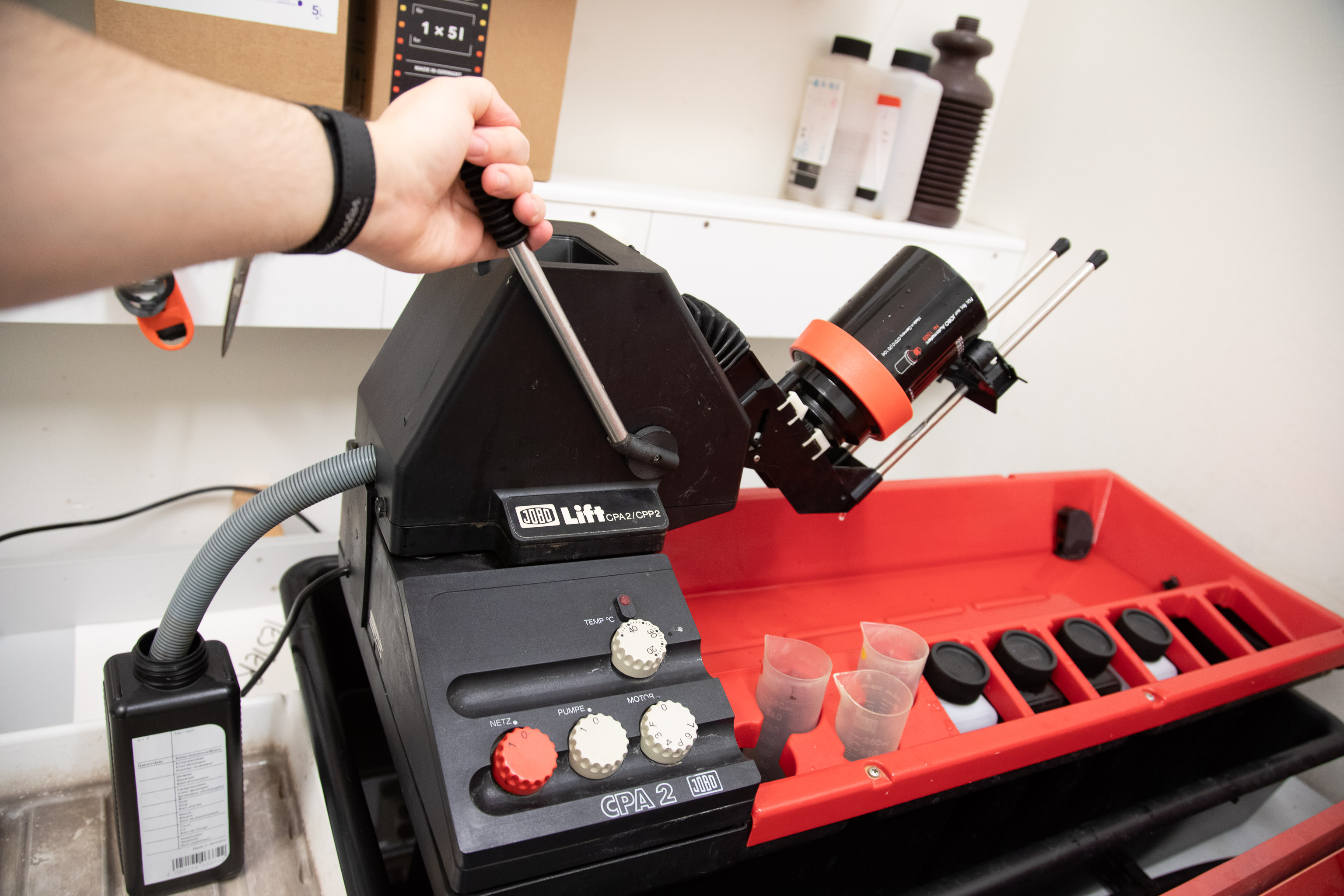
5\. After each step: - Lift the tank using the lift. - Drain the chemical through the lift head pipe - Pour in the next solution
***
## Step 5 – Finishing Up
1. After the final rinse, **turn off the processor**.
2. Lift the tank and drain remaining liquids.
3. Carefully remove the tank from the processor.
4. Turn off the **pump** and **processor**.
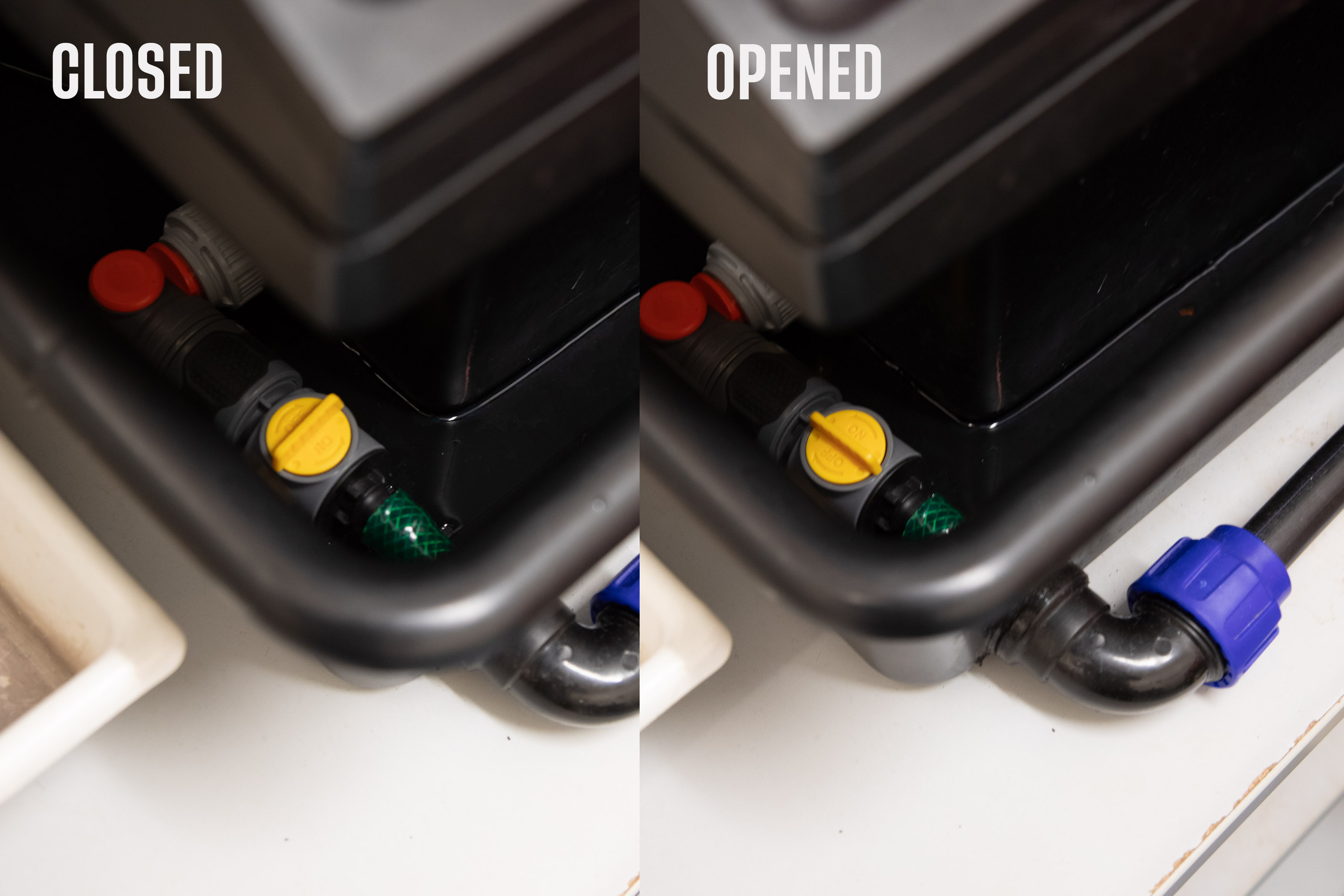
5. Empty the water bath by opening the drain under the processor.
***
## Step 6 – Cleanup
1. Wash and dry:
* Tanks
* Reels
* Measuring cylinders
* Containers
2. Return all equipment to its proper place.
3. Reset the **timer**.
{% hint style="info" %}
Don't forget to update the C41 dev chart, so we know when to prepare a new batch of fresh chemicals!
{% endhint %}
***
## Notes
* Always wear gloves when handling chemicals.
* ~~Ensure proper ventilation in the workspace.~~
* Check the C-41 developer usage chart before starting — replace chemistry as needed.
* Keep the work area dry and clean after use.
***